Feature
Playlist folders for YouTube Music
Past a couple of dozen playlists, YouTube Music's flat list gets long. Cellar adds folders to the desktop sidebar so you can group playlists by mood, genre, year or anything else.
Free for macOS (Apple Silicon), Windows, and Linux. Needs a YouTube Music account.
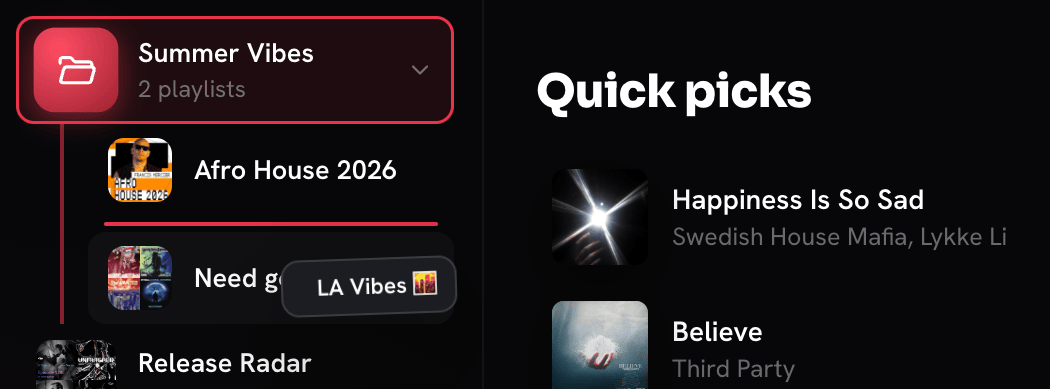
Create a folder
- Click + above your playlists in the sidebar and choose New folder.
- Type a name and press Enter. Each new folder gets its own color.
- Drag playlists onto it. A closed folder springs open after a moment so you can drop a playlist exactly where you want it.
Organize the way you think
- Right-click a playlist and choose Move to folder to file it without dragging.
- Right-click a folder to rename it, change its color or pin it to the top.
- Drag folders to reorder them.
- Open and closed folders stay that way after a restart.
- Drag a playlist out of its folder to put it back in the main list.
Your playlists stay as they are
Folders live in Cellar's sidebar and sync between the computers you use Cellar on. The playlists themselves stay in your YouTube Music library, unchanged. Deleting a folder never deletes a playlist: the ones inside go back to the main list.
Questions
Does YouTube Music support playlist folders?
No. YouTube Music shows playlists as one flat list. Cellar adds folders on top of your library without changing the playlists.
Can a playlist be in more than one folder?
No. Filing a playlist moves it into that folder, which keeps the sidebar free of duplicates.
Will my folders show on music.youtube.com?
No. Folders are part of Cellar. They sync between computers running Cellar, but the YouTube Music website and mobile apps do not show them.
Cellar works with a free or Premium YouTube Music account. YouTube Premium perks (including ad-free listening) stay with Google. Cellar is an independent project and is not affiliated with, or endorsed by, YouTube or Google.