Feature
Listen to YouTube Music together
Cellar's Listening Parties put you and your friends on the same song at the same moment. One person hosts and controls playback; everyone else listens along and suggests what plays next.
Free for macOS (Apple Silicon), Windows, and Linux. Needs a YouTube Music account.
Start a party
- Add friends in Cellar by their @handle. Once they accept, they show up in your Friends panel.
- In the Friends panel, click the headphones button, pick who to invite and give the party a name if you like.
- Click Start party. Your friends get an invite and join with Join & sync up.
During the party
- Everyone hears the same track in sync. A LIVE bar shows who is listening and how long the party has been going.
- The host has the aux: only the host can play, pause, skip or seek.
- Guests suggest songs from anywhere in the app. The host adds a suggestion to the queue, tagged with who suggested it, or passes on it.
- An activity feed shows who joined, who left and what was suggested.
Keep the recap
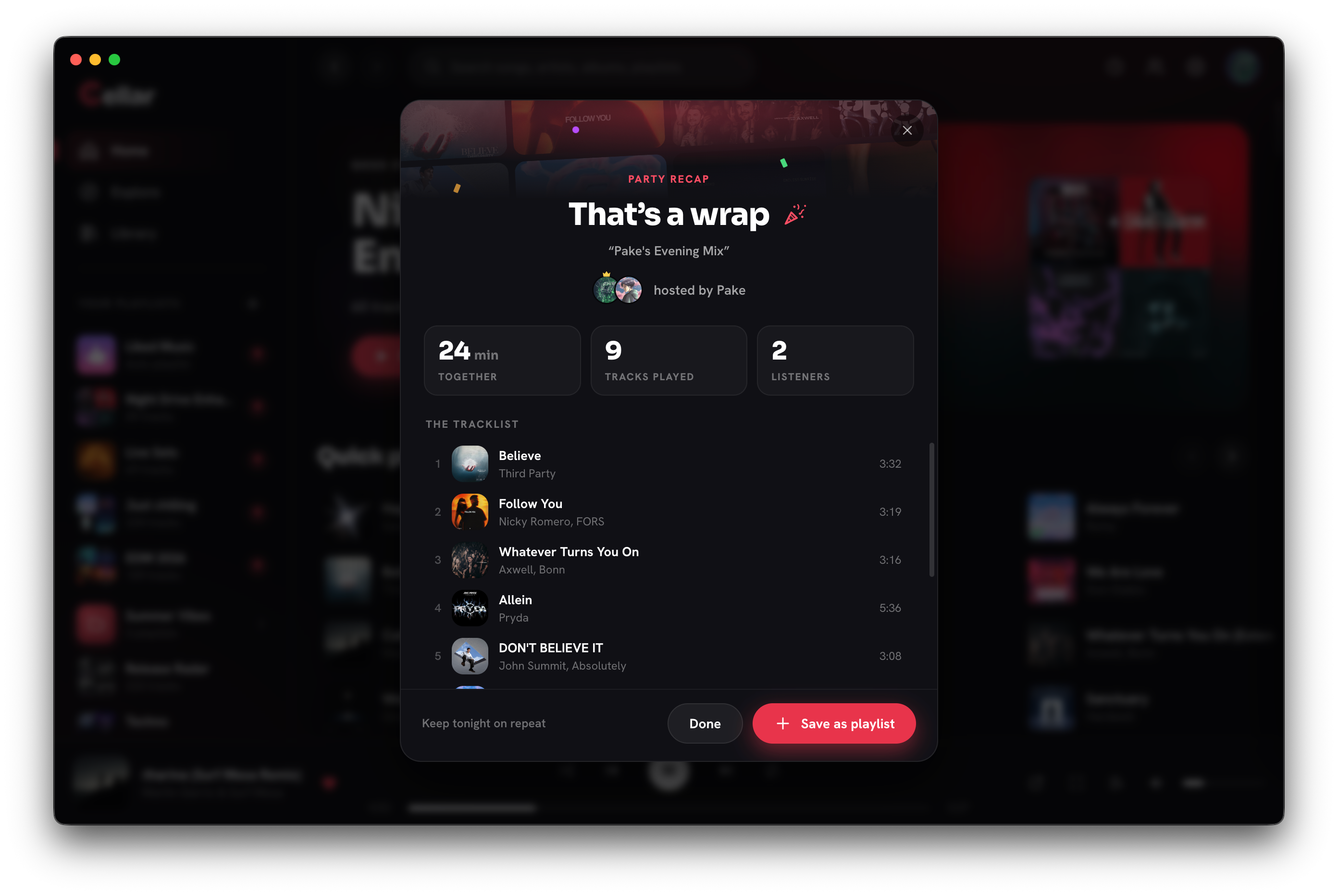
When the party ends, everyone gets a recap: who was there, how long you listened, and the full tracklist with who suggested each song. One click saves it as a playlist in your YouTube Music library.
Questions
Can I listen to YouTube Music with friends at the same time?
Yes, with Cellar. Start a Listening Party and invite friends who use Cellar. Everyone hears the same track in sync while the host controls playback.
Does everyone need Cellar?
Yes. Each listener needs Cellar on their computer and their own YouTube Music account. Every listener streams on their own, kept in sync with the host.
Can guests control the music?
Guests cannot play, pause or skip, which keeps everyone together. They can suggest songs, and the host decides what goes in the queue.
Cellar works with a free or Premium YouTube Music account. YouTube Premium perks (including ad-free listening) stay with Google. Cellar is an independent project and is not affiliated with, or endorsed by, YouTube or Google.